Technology
Permalinks in a WordPress Multisite
Alex de Pablos Lopez1 min
Permalinks on a WordPress multisite are set up a bit differently than on a normal site.
When I set up my WordPress multisite, I saw that the posts I was creating were all under the /blog slug . When I went to the Settings menu -> permalinks to modify it it wasn’t something I could edit.
How to modify the slug in a wordpress multisite
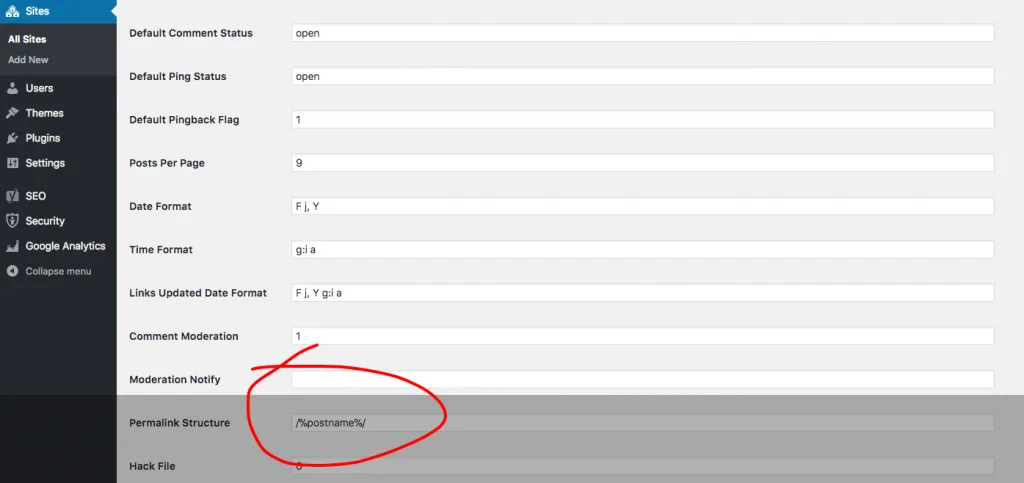
- Go to Network Admin -> Sites -> Edit -> check Permalink Structure ( /wp-admin/network/site-info.php?id=1 ) and edit the permalink field as you need.
- Go to main site Settings -> Permalinks and select the value you need.
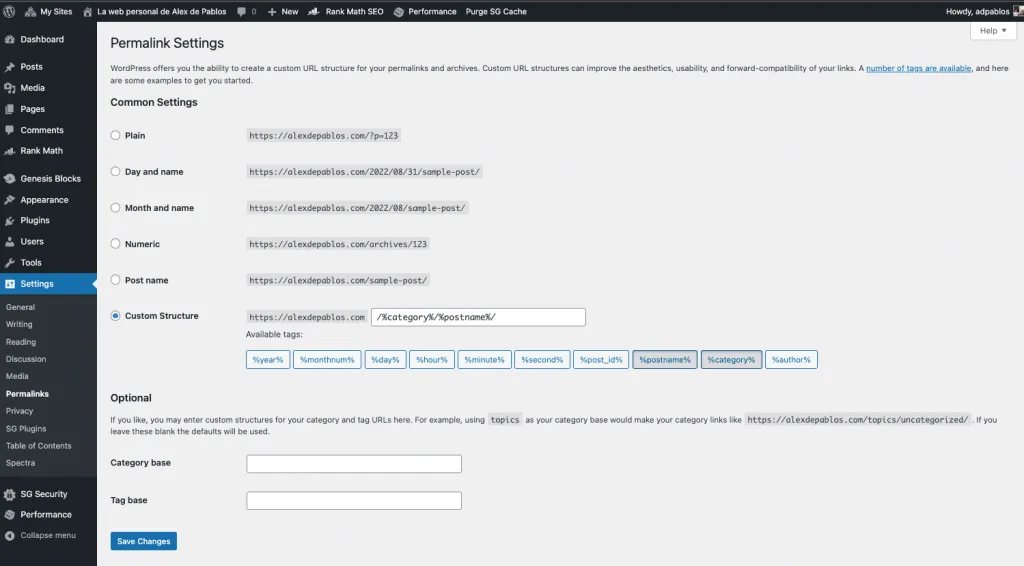
In this way, your new posts will have the slug that you consider best and you will not have to assume the /blog that comes by default in a WordPress multisite configuration.